If you’ve ever checked your website on Google PageSpeed Insights and been disappointed by a low score, you might have wondered whether WordPress is the problem.
The answer is simple: WordPress itself is not what makes a website slow.
In fact, WordPress powers around 43–44% of all websites on the internet and more than 60% of websites that use a content management system (CMS). If WordPress were inherently slow, millions of businesses, publishers, and organizations wouldn’t rely on it every day.
The real reason most WordPress websites perform poorly comes down to how they’re built, optimized, and maintained.
Common Reasons WordPress Websites Become Slow
A slow website is usually the result of multiple small issues rather than one major problem. Some of the most common causes include:
- Unoptimized images that are too large.
- Excessive CSS and JavaScript files.
- Too many plugins running unnecessary code.
- Heavy third-party scripts like chat widgets and tracking tools.
- Poor font loading strategies.
- Low-quality or overcrowded web hosting.
- Missing or improperly configured caching.
Fortunately, most of these issues are relatively easy to fix.
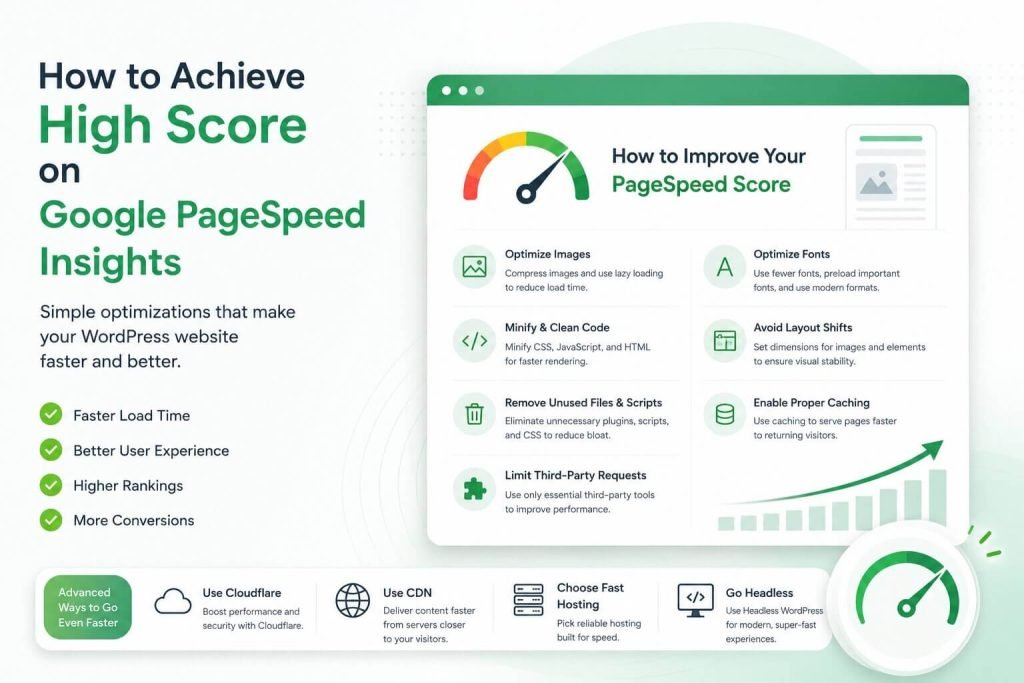
Simple Optimizations That Make a Big Difference
Here are some of the easiest ways to improve your website’s performance.
- Compress and Lazy Load Images
Images often account for the largest portion of a webpage’s size. Compressing them and enabling lazy loading ensures visitors only download images when they’re needed, reducing initial page load time. - Write Clean, Minified Code
Minifying HTML, CSS, and JavaScript removes unnecessary characters and reduces file sizes. Keeping your code clean also helps browsers render pages more efficiently. - Remove Unused Files and Scripts
Many themes and plugins load assets on every page—even when they aren’t needed. Removing unused CSS, JavaScript, and plugin files reduces unnecessary requests. - Limit Third-Party Tools
Analytics scripts, live chat widgets, marketing pixels, social media embeds, and advertising scripts all add extra network requests. Only use the tools that truly provide value. - Optimize Font Loading
Web fonts can slow down rendering if they’re not loaded efficiently. Using fewer font families, preloading important fonts, and serving modern font formats can significantly improve performance. - Avoid Large Layout Shifts
Unexpected movement of page elements creates a poor user experience and negatively impacts Core Web Vitals. Always define image dimensions, reserve space for dynamic content, and avoid injecting elements after the page loads. - Configure Proper Caching
Browser caching and page caching reduce the amount of work required for repeat visits, making your website feel much faster for returning users.
Advanced Performance Optimizations
- Use Cloudflare
Cloudflare adds an extra layer of performance and security by caching content, optimizing delivery, protecting against attacks, and reducing server load. - Deliver Content Through a CDN
A Content Delivery Network (CDN) stores copies of your website across multiple global locations, allowing visitors to load content from the server closest to them. - Choose High-Performance Hosting
Even the best-optimized website will struggle on slow hosting. Investing in reliable, high-performance hosting provides faster server response times and better overall stability. - Consider Headless WordPress
For projects that demand maximum speed and flexibility, Headless WordPress separates the backend from the frontend, allowing modern frameworks to deliver an exceptionally fast user experience.
Performance Is More Than Just a Score.
While achieving a high PageSpeed Insights score is satisfying, website performance isn’t only about numbers.
A faster website improves user experience, increases engagement, reduces bounce rates, supports better search engine rankings, and often leads to higher conversions.
The best-performing WordPress websites aren’t built with dozens of optimization plugins—they’re built thoughtfully from the ground up.
Final Thoughts
WordPress has earned its reputation because it’s flexible, powerful, and capable of powering everything from personal blogs to enterprise websites.
When a WordPress site is slow, the platform is rarely the problem. The real difference lies in thoughtful development, clean code, optimized assets, quality hosting, and ongoing performance optimization.
Build it right, optimize it consistently, and WordPress can deliver an incredibly fast, reliable, and enjoyable experience for every visitor.